Clear information. Fewer barriers.

Make your digital services work for more people.

Your website, forms and documents connect people to essential services. We help small public organizations make those everyday tasks easier to access and use.

Practical reviews · Document remediation · Staff training

Built for small teams serving the public

Towns & counties Schools Libraries Special districts Web partners

A manageable place to start

Practical help, from review to repair.

Choose a focused project or continuing support. We agree on the scope, deliverables and cost before work begins.

Website accessibility review

A focused review of key pages, templates and user tasks using automated checks, keyboard testing and screen-reader testing.

  • Priority-ordered findings in plain English
  • Actionable guidance for your web provider
  • A walkthrough of the results and next steps

Plan a website review

Accessible PDFs & Word files

Make public documents easier to navigate, understand and use with assistive technology.

  • Headings, tags and reading order
  • Alternative text, tables and form fields
  • Review and testing of the agreed documents
Discuss your documents

Practical staff training

Help the people creating your content build accessibility into their everyday work.

  • Accessible Word and PDF workflows
  • Images, links and social content
  • Hands-on examples and time for questions
Talk about training

Ongoing accessibility support

Keep making progress as documents, pages and staff responsibilities change.

  • Scheduled checks and follow-up testing
  • Document support within an agreed scope
  • Staff questions and accessibility statement updates
Explore ongoing support

A short course for decision makers

What does Section 508 mean for your organization?

Get the distinction between federal Section 508 requirements and the ADA Title II web rule, understand the April 2027/2028 deadlines that may apply to public entities, and identify a practical first step.

Take the free 508 introduction

Designed for leads and staff

About 10 minutes, no technical background needed. Complete three knowledge checks and choose the help you would like to discuss; we will be notified of your interest.

See the course and self-check tools →

A clear path forward

Know what matters.
Know what to do next.

Accessibility connects technical details to the people using them. A scanner is one tool in the process; manual checks help reveal barriers it can miss.

  1. Start with your priorities

    Share your website, document types and the tasks your community needs to complete.

  2. Review and agree on the work

    Set the pages, files, testing methods and deliverables for a project that fits your team.

  3. Make progress you can follow

    Receive clear findings, agreed fixes or training, and a plan for follow-up checks.

Technology made useful

Tools work best when information works with them.

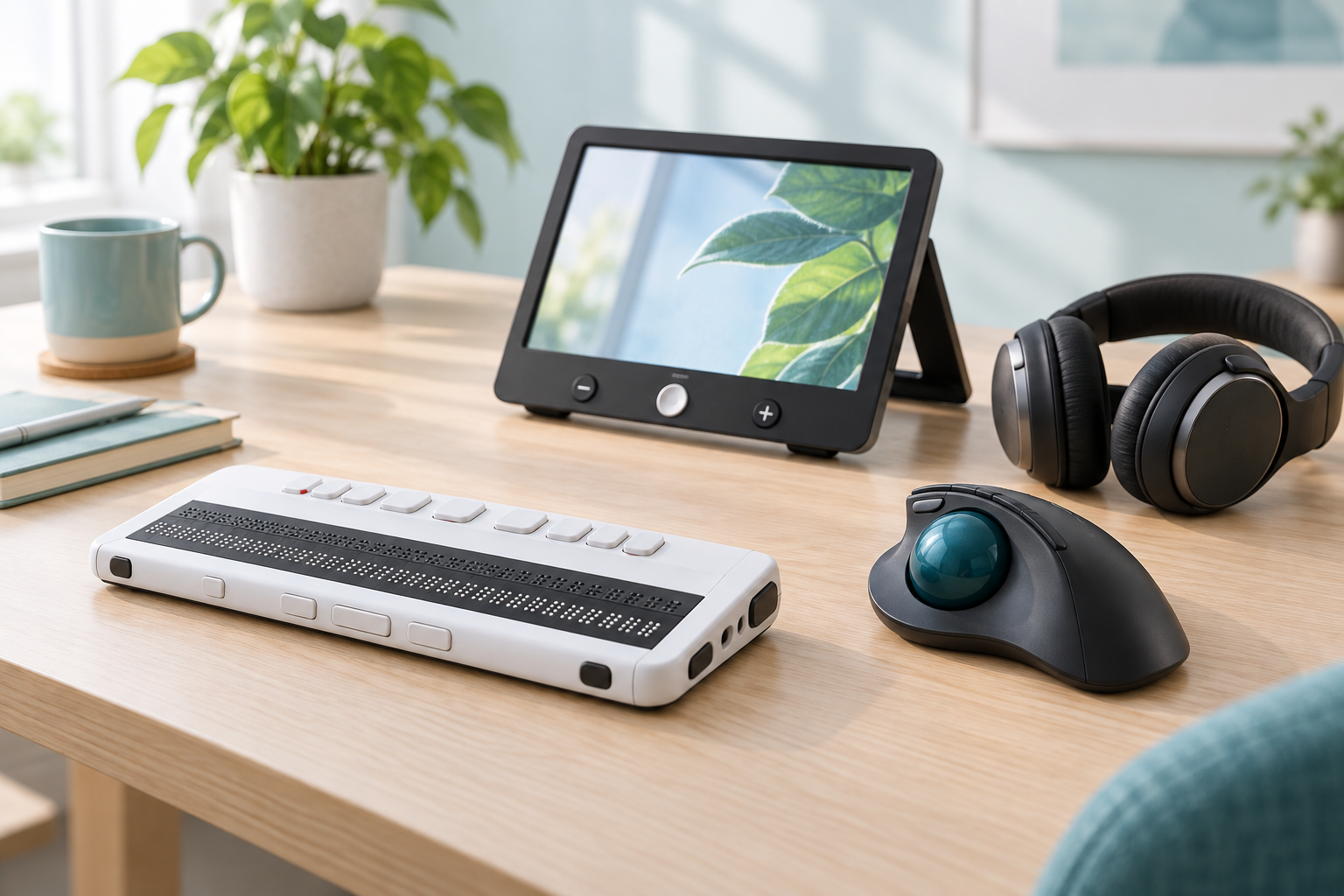
People use screen readers, braille displays, magnification, alternative input devices and many other tools in their own ways. Thoughtful websites and documents leave room for those choices.

Talk about your accessibility needs
A woman uses a braille display and laptop at a library table.
Information should work with the tools people choose.
A refreshable braille display, screen magnifier, trackball mouse and headphones on a desk.
Everyday tools, designed for different ways of working.

People first. Practical by design.

Support for the work behind public service.

A meeting agenda, enrollment form or library resource can be essential to someone's day. Cut Curb Works brings an assistive technology perspective to the details that make these resources usable.

We can work with the person managing your website or with your existing web provider. You do not need to have every answer before getting in touch.

Before we get started

Do we need a whole new website?

That depends on your site. A focused review helps identify what can be improved within your existing website and what needs your web provider's help.

Can you help with accessibility requirements?

We can discuss an appropriate technical review scope and help you understand findings and priorities. Any standards, testing coverage and exclusions will be stated in the project scope. Services do not provide legal advice or a guarantee of compliance.

How much will a project cost?

Cost depends on the number and complexity of pages or documents, the testing needed and the agreed deliverables. Send a public website link or describe the work so we can discuss a suitable scope.

What should we send first?

Your organization's name, a public website link, the type of help you need and any target date. Please do not send student records, medical information, passwords or other sensitive information through the contact form.

One useful next step

Let's find your starting point.

Have a website to review, a stack of documents, or a team that needs guidance? Tell us what you are working on.

Start a conversation